Thumbnail & Visual Design
A collection of YouTube thumbnails and visual brand assets designed around strong contrast, clear typography, subject isolation, and mobile readability.
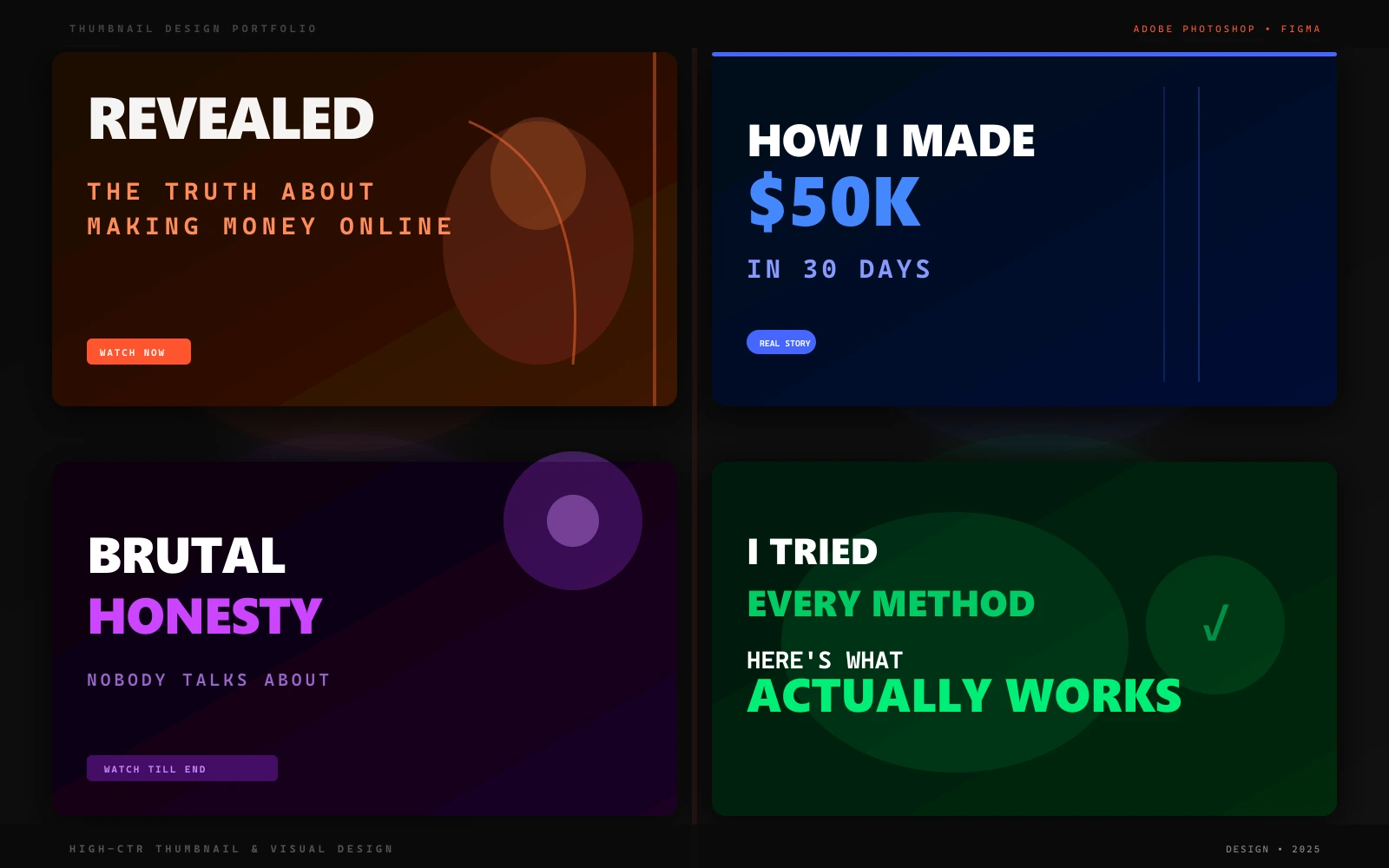
What is this project?
A series of custom YouTube thumbnails and social visual assets created for video creators. Each piece focuses on clear subject lighting, readable typography, and visual hierarchy optimized for small smartphone displays.
What needed to be solved?
In dense social feeds, visual assets often fail to communicate when text is too small, background clutter distracts from the subject, or lighting is flat and washed out.
What was the intended outcome?
Design high-contrast visual assets and video thumbnails that communicate the core topic within a split second while maintaining distinct channel branding.
Execution & Implementation
MY ROLE: Visual & Graphic Designer
Subject isolation and background separation using custom masking in Adobe Photoshop.
Hand-painted rim lighting and directional highlights to make subjects stand out against dark feed UI.
High-contrast, 2-to-3-word typography layouts tested for readability at small thumbnail sizes.
Reusable template components and exported layered PSD files for creator workflows.
System & Process Workflow
Hook Identification
Identify the primary topic, curiosity element, or emotional hook of the video.
Subject Isolation
Extract key subjects, retouch lighting, and add painted edge rim-lighting for contrast.
Typography & Color
Apply bold sans-serif text with subtle drop shadows and balanced color grading.
Mobile Scale Verification
Preview the thumbnail at small scale on both dark and light YouTube interface modes.
Why I Built It This Way
Specific choices made during the project — and the reasoning behind each.
Rim Lighting on Every Subject
Added hand-painted edge glow or rim lighting to every subject, even in client-supplied photos.
Rim lighting is the single biggest differentiator between amateur and professional thumbnails — it creates a 3D sense of depth that makes subjects pop off dark backgrounds.
Maximum 3 Words of Headline Text
Limited thumbnail headline text to 3 words or fewer in every design.
At 120px thumbnail size on mobile, only 1-3 large words are legible. More text means no words are readable — which means zero clicks.
Dark Background Default
Defaulted to dark backgrounds across the design system unless client brand explicitly required otherwise.
YouTube, Instagram, and TikTok all default to dark UI mode. Dark-background thumbnails create contrast and stand out against light-background competitors in the same feed.
Technologies & Software
Results & Impact
Interested in a Similar Project?
Let's discuss your goals, requirements, and timeline. I'll help you define the next step.
Start Project Discussion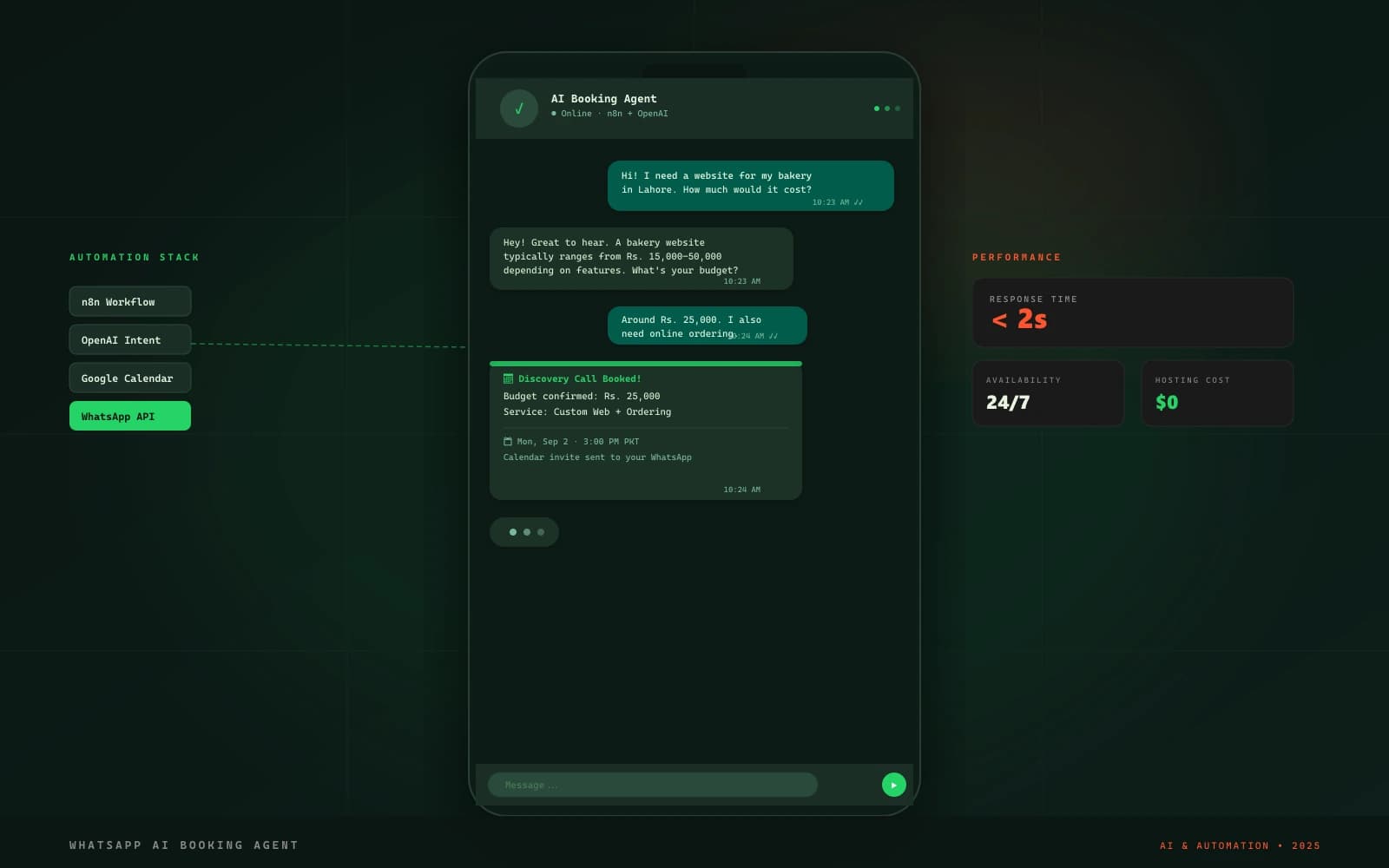
WhatsApp AI Booking Agent
An AI-assisted WhatsApp conversational workflow that answers common customer questions, collects project requirements, and books appointments into Google Calendar.